XTranslate - Photo, Voice, PDF
- 4.7
- Rating
- 10.00M
- Installs
- Free
- Price

 Analysis by App-foxy
When I need to understand a menu, a photographed notice, a short voice message, or a document in another language, I usually want the quickest route from confusion to a usable translation. That is the problem XTranslate - Photo, Voice, PDF tries to solve. It is a free tools app from FALCON GAME, designed to bring several translation formats into one place instead of making me switch between separate services.
After using it as an everyday translation companion, I see its main appeal clearly: convenience. I can begin with an image, move to typed text, or try voice input depending on what is in front of me. That flexibility makes it more practical than a tool built around only one format. At the same time, I would not treat it as a universal substitute for a professional translator or a careful bilingual review. Its strongest role is fast understanding, not guaranteeing perfect wording in every important situation.
The app is free to install and suitable for Everyone, which makes it approachable for families, travelers, students, and casual users. It has reached over 10 million installs and holds a 4.7 average from roughly 132 thousand ratings, so it is clearly being used at a substantial scale. Those figures do not remove the need for personal testing, but they do suggest that the basic idea works for many people.
You May Also Like

 Blood Strike: 2.5 Anniversary
Blood Strike’s Loadouts Turn Every Drop Into a Tactical Gamble
A close look at Blood Strike’s custom loadouts: how fast access to signature weapons reshapes its battle royale rhythm, rewards preparation, and narrows the gap between fights.

 Pandora - Music & Podcasts
Pandora’s Music Is Easy to Start, but Harder to Recover
Pandora’s strength is its low-effort path from a seed to a station. Its weak spot is how much confidence it asks you to place in connection, setup, and quiet recovery.

 8 Ball Pool
 Is Built on Rivalries, Rematches, and Routine
A close look at the rivalries, rematches, shared routines, and unanswered safety questions that turn a quick pool match into a persistent mobile community.

 Samsung Music
’s Quiet Strength Is Playing What You Already Own
Its reach comes less from spectacle than from dependable access to a personal library. That simplicity is both the app’s strongest retention engine and its ceiling.

 AccuWeather: Weather Radar
AccuWeather Review: A Quick, Clear Forecast for Everyday Decisions
For everyday plans, the best forecast is the one you can understand quickly. AccuWeather makes rain timing, radar, and local conditions easy to act on, with a few trade-offs.

 Hill Climb Racing
Why Hill Climb Racing Still Turns Crashes Into One More Run
A tiny car, a bumpy hill and one more upgrade: Hill Climb Racing keeps resurfacing because its simple chaos makes every near-miss feel personal.
More From Our News Desk



How I would decide whether XTranslate fits
I’d judge XTranslate by whether it becomes a useful first stop for the kinds of language problems that come up repeatedly, rather than by how many formats it can handle on paper. I’d try it with a photo, a short spoken exchange, and a document I genuinely need to understand, then notice which workflow saves effort and which still needs a specialist tool. That small test makes the next question—whether it earns a place in my routine—much easier to answer.
Start with the kind of translation you actually need
The first decision is not whether XTranslate has a long feature list. It is whether your translation problems arrive as photos, speech, typed passages, PDFs, or ordinary documents. If I am reading a sign, a printed instruction sheet, or a page captured by my phone, an image-based workflow saves time. If someone is speaking nearby, voice input is more natural than typing every sentence. If I already have a file, document or PDF support can prevent the awkward step of copying content into another app.
That format-first approach is more useful than choosing an app simply because it claims to translate many languages. In real life, the input often determines the best tool. A camera translation app may be better for a street sign, while a desktop document service may be better for a long contract. XTranslate makes the most sense when I want one mobile tool that can handle several of these situations without demanding a separate workflow for each one.
Think about speed versus precision
For a quick decision, a slightly imperfect translation can still be valuable. I may only need to know whether a notice concerns opening hours, whether a package contains a particular item, or what a short message is generally saying. In those cases, the ability to translate a photo or voice input immediately is more important than polishing every sentence.
That trade-off changes when the text affects money, health, travel documents, legal obligations, or professional communication. Machine translation can miss tone, context, specialist vocabulary, handwriting, or words hidden by glare and poor framing. I would use the result as a first reading, then ask a fluent speaker or qualified professional to check anything consequential. Fast comprehension is the app’s practical sweet spot; final authority is not.
Check whether a mobile workflow is enough
XTranslate is aimed at phone users who want translation close to the source material. That is convenient when I am standing in a shop, looking at a menu, or handling a paper document away from my computer. The phone camera and microphone become the starting point, so I do not need to retype everything before seeing a result.
For extended editing, repeated business documents, or a translation project that needs careful terminology control, I would look at a dedicated desktop or professional service instead. Those alternatives may offer a more comfortable workspace, but they can be slower for spontaneous situations. The right choice depends on whether I value immediate access or detailed control more.
What the app’s current position means
The current version is 2.1.26, and the app runs on Android 8.0 or later. That makes it relevant to people who keep an older Android phone rather than upgrading frequently. I still recommend checking the version and available storage on the device before relying on it during a trip, especially if the phone is older or has limited space.
FALCON GAME is the developer behind the app. XTranslate is categorized as a tools app rather than a language-learning course, so I would not install it expecting structured lessons, vocabulary review, or a progression system. Its purpose is to help me understand and convert language in the moment.
Where XTranslate is genuinely convenient
The biggest advantage is the combination of input types. Photo translation is useful when the original text is printed and inconvenient to enter manually. Voice translation can be quicker during a simple conversation. Text entry remains helpful when I already have clean wording, while PDF and document support targets material that would otherwise require copying and pasting.
This combination creates a useful fallback system. If a voice attempt is unclear because of background noise, I can type the sentence. If typing is inconvenient, I can photograph the source. If the information already exists in a file, I can work from that instead of taking a screenshot or retyping paragraphs. The value is not just having multiple buttons; it is having several routes to the same result.
A realistic travel example
Imagine I arrive at a rental apartment and find instructions printed in a language I do not read. I can photograph the page to understand the door lock, heating controls, or checkout notes. Later, if the host sends a voice message, I can try voice translation rather than asking them to repeat everything in writing. If a building notice arrives as a PDF, I can keep the same app in the workflow instead of moving between camera translation and a separate document tool.
That scenario shows why I would recommend it to a traveler more readily than to someone translating a long book. The traveler benefits from speed and variety. The book translator needs consistency, formatting control, terminology management, and a comfortable editing environment. XTranslate reduces friction for the first person, while the second person may spend more time correcting the output than saving.
Three habits that improve the results
For image translation, I get better results when I photograph the text straight on, use enough light, and include only the relevant section. A busy background, curved page, glare, or tiny lettering makes recognition harder before translation even begins. Cropping out unrelated material is a simple step that can improve both readability and the usefulness of the result.
For voice input, I would speak in short, complete sentences and pause between ideas. Names, addresses, slang, and noisy surroundings are especially likely to create confusion. When a sentence matters, I would repeat it in simpler words and compare the result rather than trusting one hurried recording.
For PDFs and documents, I would first identify the part I truly need. Translating a whole file may be unnecessary if I only need a heading, instruction, or paragraph. Working in smaller sections can make it easier to spot a strange translation and decide whether the surrounding context changes the meaning.
Where the usual alternatives may fit better
A dedicated camera translator can be the better choice for someone whose main need is scanning signs and labels. A voice-focused translation service may feel more natural for frequent conversations. A general web translator can be preferable when I already work at a computer and need to compare several versions of typed text. A professional human translator remains the safer option for legal, medical, immigration, academic, or high-value business material.
That does not make XTranslate weak. It simply places it in the middle: broader than a single-purpose scanner, more portable than a desktop workflow, and less specialized than a professional translation environment. I would choose it when the input changes from day to day and I want one familiar app rather than the absolute best specialist tool for just one format.
There is also a learning trade-off. Someone who wants to improve their own language skills may prefer an app built around explanations, exercises, pronunciation practice, and vocabulary retention. XTranslate is more useful when I already know what I want to say or understand and need help crossing the language barrier quickly. It can support learning indirectly, but I would not confuse instant translation with language study.
Limits I would keep in mind
Translation quality depends heavily on the source. Blurry photos, unusual layouts, handwriting, accents, overlapping speakers, and technical language can all reduce confidence. Even a clear result may sound too literal or miss a cultural nuance. I would read the translated sentence in context rather than assuming that a fluent-sounding line is automatically accurate.
The free entry point is helpful, but in-app purchases range from $2.49 to $99.99 per item. That wide range means I would check the purchase screen carefully before committing to anything beyond the basic experience. A person who only needs occasional travel help may find the free access sufficient, while a heavy user should decide whether the paid options justify the expected frequency of use.
I would also avoid making it my only emergency solution. Before traveling, I would save essential addresses, booking details, and important instructions in a form I can already read. Translation apps are useful when a connection, camera, microphone, or source document behaves normally; preparation matters when conditions are less cooperative.
The real cost of switching
Moving to XTranslate is relatively easy if I currently jump between a camera tool, a voice translator, and a document translator. The main gain is mental simplicity: one app to remember and one place to start. I do not need to decide which specialist app matches the input every time a new translation problem appears.
The cost is that a combined tool may not feel as deep as a specialist. I may need to retake a photo, simplify speech, or manually check a document when a more focused service would have handled that exact task better. There is also a small habit cost in learning which input method works best for each situation. After a few uses, that becomes manageable, but it is worth recognizing before replacing a tool that already works well for you.
My practical approach would be to keep an existing specialist app if it is essential to work, then add XTranslate as a flexible backup. For casual use, the reverse may be more sensible: start with XTranslate and only add another service if a recurring need exposes a clear gap. This avoids paying for several overlapping tools before knowing which workflow you actually use.
Who should install it
I would recommend XTranslate to travelers, international shoppers, students handling mixed-language material, families communicating across languages, and anyone who regularly receives information in photos, voice notes, PDFs, or documents. It is especially appealing if you dislike retyping text and want a single mobile starting point.
I would be more cautious for translators, researchers, customer-support teams, and professionals who need consistent terminology or a traceable review process. They may appreciate it for quick orientation, but I would not make it the final step in a serious translation pipeline. The same caution applies to anyone dealing with medical instructions, legal paperwork, or financial commitments.
My recommendation after using it
XTranslate - Photo, Voice, PDF is a useful decision for people who value breadth and speed over specialist depth. Its free availability, Everyone rating, and support for Android 8.0 or later make it easy to try on a wide range of phones. The strong 4.7 average and more than 10 million installs also show that it has found a substantial audience, though my recommendation still depends on how important accuracy is in your particular situation.
I would install it as an everyday translation utility, especially for travel and short practical tasks. I would use photos for printed material, voice for brief exchanges, text for clean sentences, and PDFs or documents when the source already exists digitally. I would then verify anything that could lead to a serious mistake.
My final view is straightforward: choose XTranslate when you want one convenient app that can adapt to different kinds of language input. Choose a specialist or human translator when precision, formatting, terminology, or accountability matters more than speed. For the first category, this app is a sensible and approachable choice; for the second, it is best treated as a helpful first pass rather than the final word.
FAQs for XTranslate - Photo, Voice, PDF
01What languages does XTranslate support?
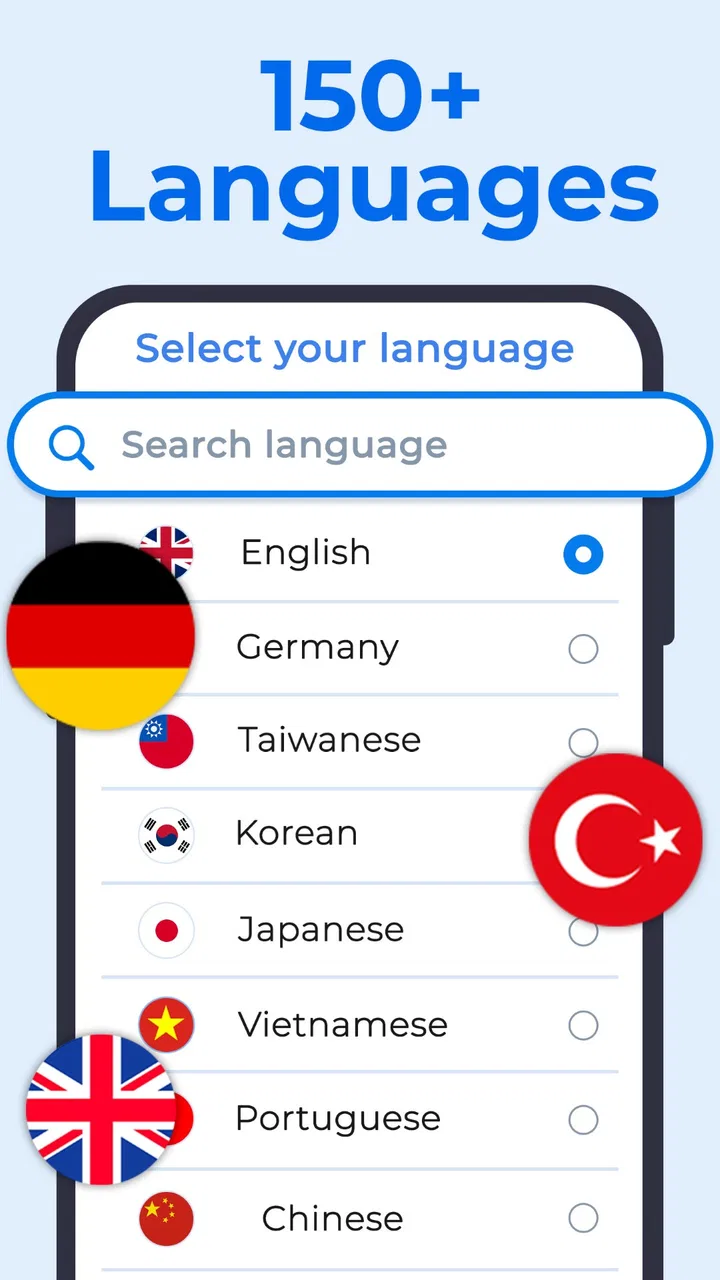
XTranslate offers support for over 100 languages, making it a versatile tool for global communication. Whether you're translating text from a photo, voice input, or a PDF document, the app provides accurate translations across major languages such as Spanish, French, Chinese, and more.
02How does the photo translation feature work?
The photo translation feature utilizes OCR (Optical Character Recognition) technology to scan and recognize text within images. You simply take a picture of the text you need translated, and XTranslate processes the image to provide an accurate translation in your chosen language.
03Can XTranslate handle offline translations?
Yes, XTranslate offers offline translation capabilities for select languages. This means you can download language packs ahead of time for use without an internet connection, which is particularly useful when traveling or in areas with limited connectivity.
04Is the app free to use, and are there any in-app purchases?
XTranslate is free to download and offers basic features at no cost. However, there are premium options available for users who need advanced features, such as unlimited translations or additional language packs, which require a subscription or one-time purchase.
05How secure is my data when using XTranslate?
XTranslate prioritizes user privacy and data security. The app employs encryption to protect any data processed through its servers. Additionally, it does not store personal information or translation history, ensuring your data remains private and secure.
Pros
- Supports multiple languages efficiently.
- Easy-to-use interface for quick navigation.
- Accurate photo translation feature.
- Integrates well with voice commands.
- Offline mode available for translations.
Cons
- Limited features in free version.
- Voice recognition can be inconsistent.
- Photo translations may miss small text.
- Occasional lag in processing translations.
- Requires internet for some features.

XTranslate - Photo, Voice, PDF
Gallery